
Changelog
We listen, improve, and deliver. Explore the changes made with you in mind.November 5, 2026
Introducing the Suggix In-App Widget
November 5, 2026
You can now collect user feedback, track feature requests, and publish release notes directly inside your product—without redirecting users to an external portal.
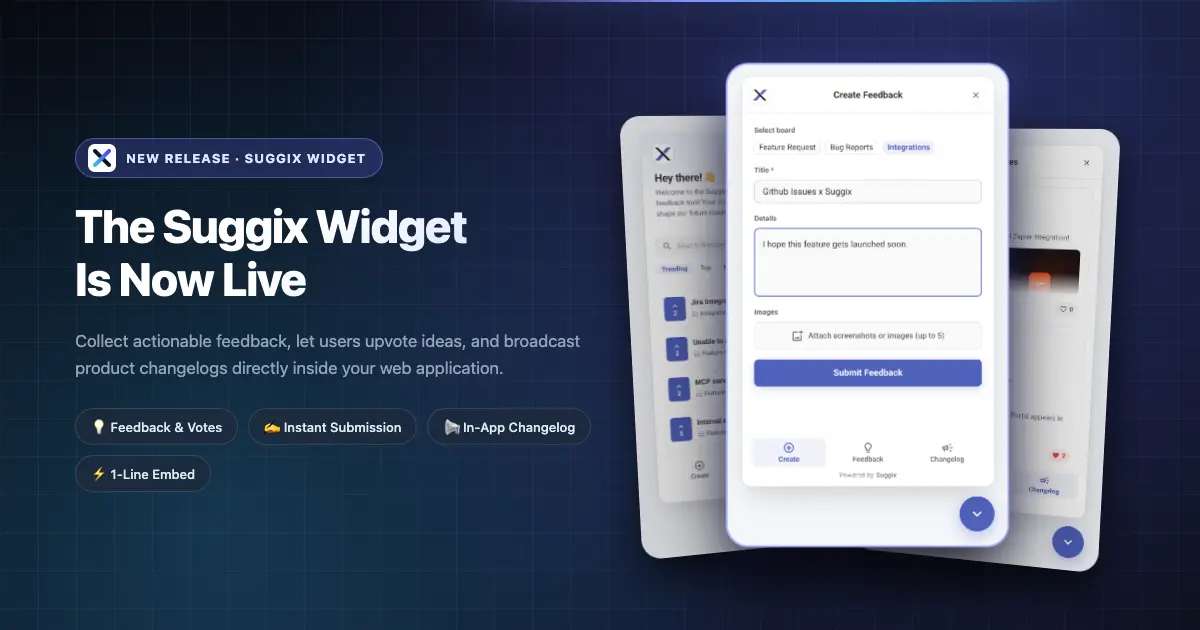
What’s new:
- Community & Upvoting: Users can browse, filter, and upvote feature requests in real time, with visibility into status tags (Backlog, In Progress, Completed).
- Frictionless Submissions: Submit ideas or bug reports on the spot, with support for up to 5 screenshot attachments.
- In-App Changelog with Unread Badges: Broadcast product updates directly inside your app. A notification dot alerts users whenever a new update is published.
- Non-Intrusive Design: A clean, lightweight floating trigger that fits naturally into your web app without disrupting the user flow.
November 2, 2026
Connect Suggix with Zapier
November 2, 2026
We are thrilled to announce our official Zapier Integration!
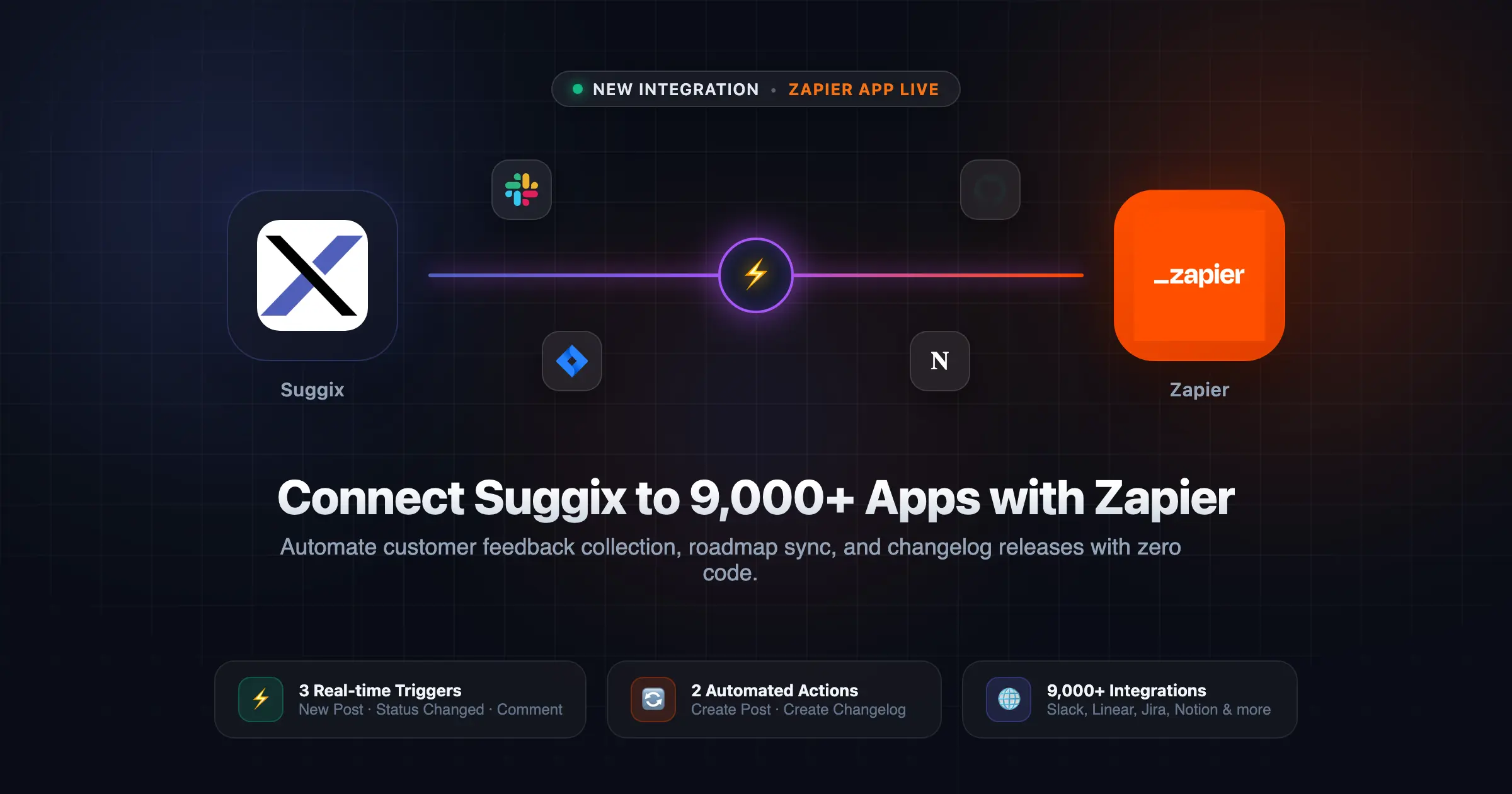
You can now effortlessly connect your Suggix workspace to over 9,000+ web applications—including Slack, Jira, Linear, Notion, HubSpot, Google Forms, and Typeform. Automate customer feedback collection, sync roadmap progress across teams, and trigger release updates without writing a single line of code.
🌟 What You Can Do
🔔 Real-time Triggers (Listen to events in Suggix)
- New Post: Trigger automated workflows whenever new feedback or feature requests are submitted.
- Post Status Changes: Instantly notify channels (Slack/Discord) or sync issues (Jira/Linear) when feedback moves through workflow stages like In Progress or Completed.
- New Comment: Stay alerted whenever customers or teammates leave replies on feedback posts.
⚡ Automated Actions (Push data into Suggix)
- Create Post: Automatically ingest feedback into your Suggix boards from survey tools (Typeform, Google Forms), customer support (Intercom, Zendesk), or CRM tools.
- Create Changelog: Programmatically publish product release notes directly from your deployment scripts or CI/CD pipelines.
🚀 How to Get Started in 3 Steps
- In your Suggix workspace, navigate to Workspace Settings > Integrations > Zapier and click Create Zapier API Key.
- Open the Suggix Zapier App.
- Authenticate with your API key and start building your custom Zaps in minutes!
Have ideas for integrations? Let us know on our Feedback Board.
August 10, 2026
Dark Mode & Admin Badges
August 10, 2026
The Feedback Portal just got even better!
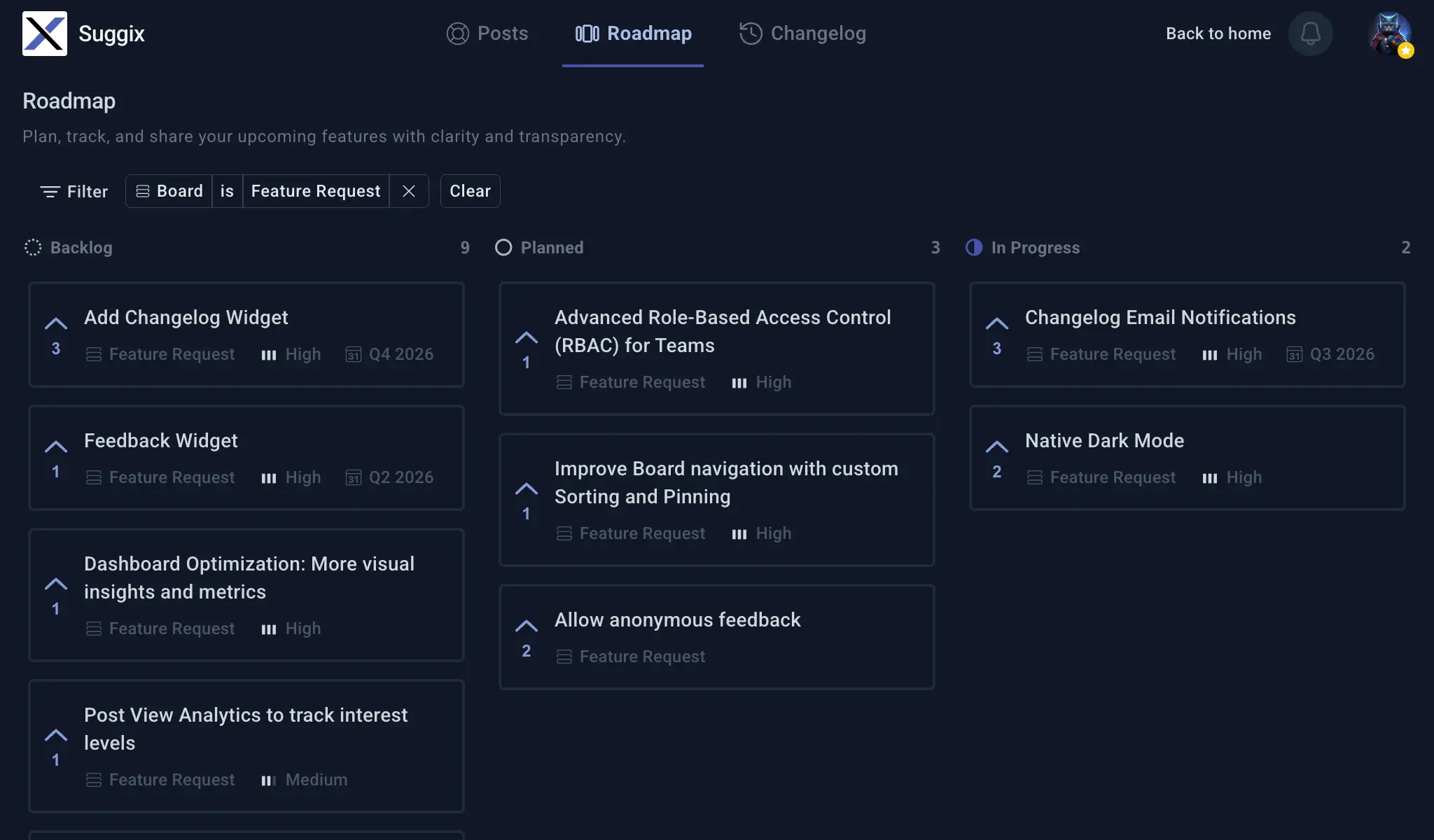
Dark Mode
You can now choose how your Feedback Portal appears in Settings → General
Available options:
- System – Automatically matches your device's theme.
- Light – Always use light mode.
- Dark – Always use dark mode.
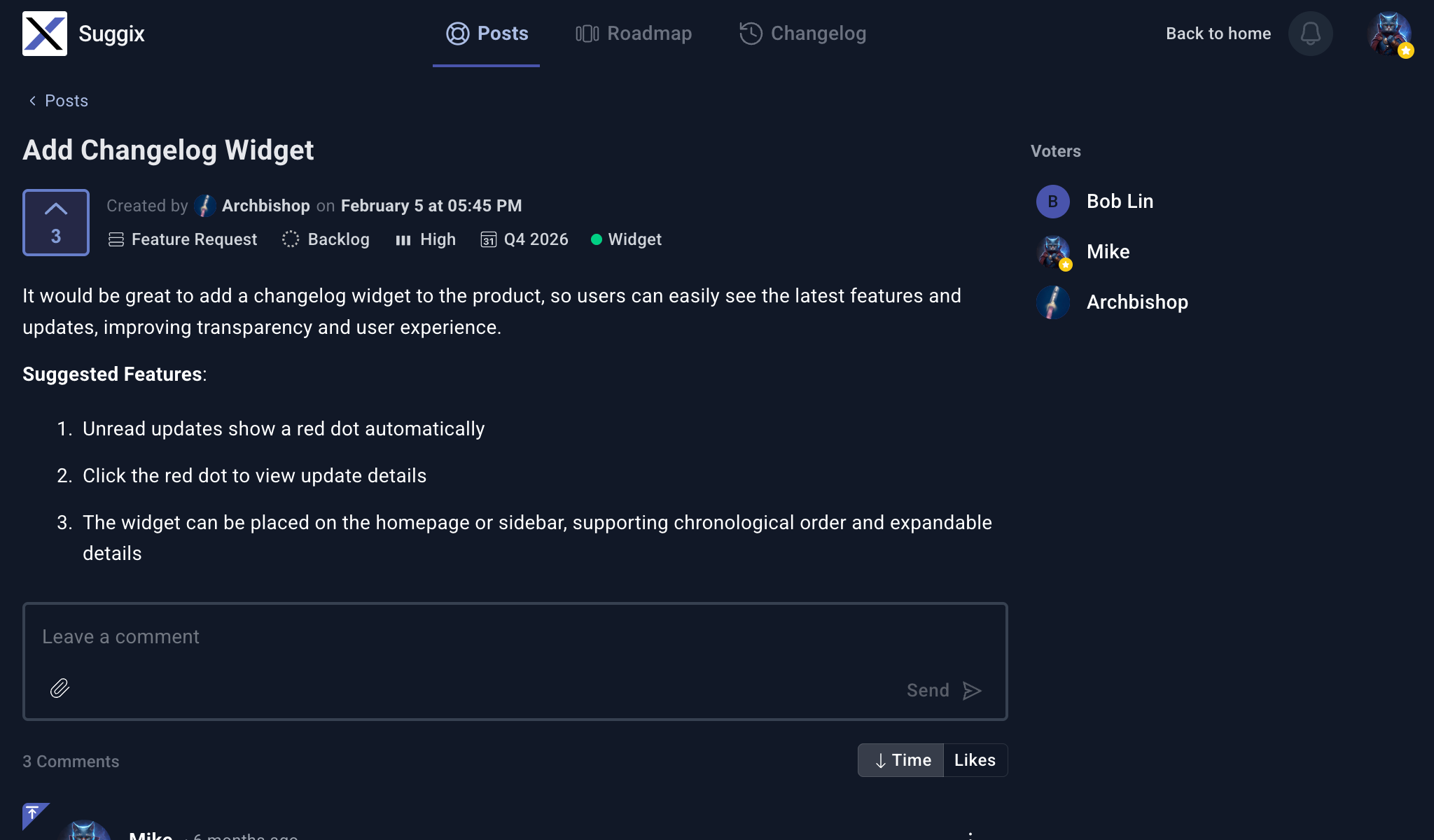
Admin Badges
Official team members are now highlighted with Admin badges, making it easier for users to identify trusted responses and announcements.
March 24, 2026
New Onboarding Flow & UI Improvements
March 24, 2026
We’ve rolled out a major update focused on making your first experience smoother and the overall interface more intuitive and enjoyable.
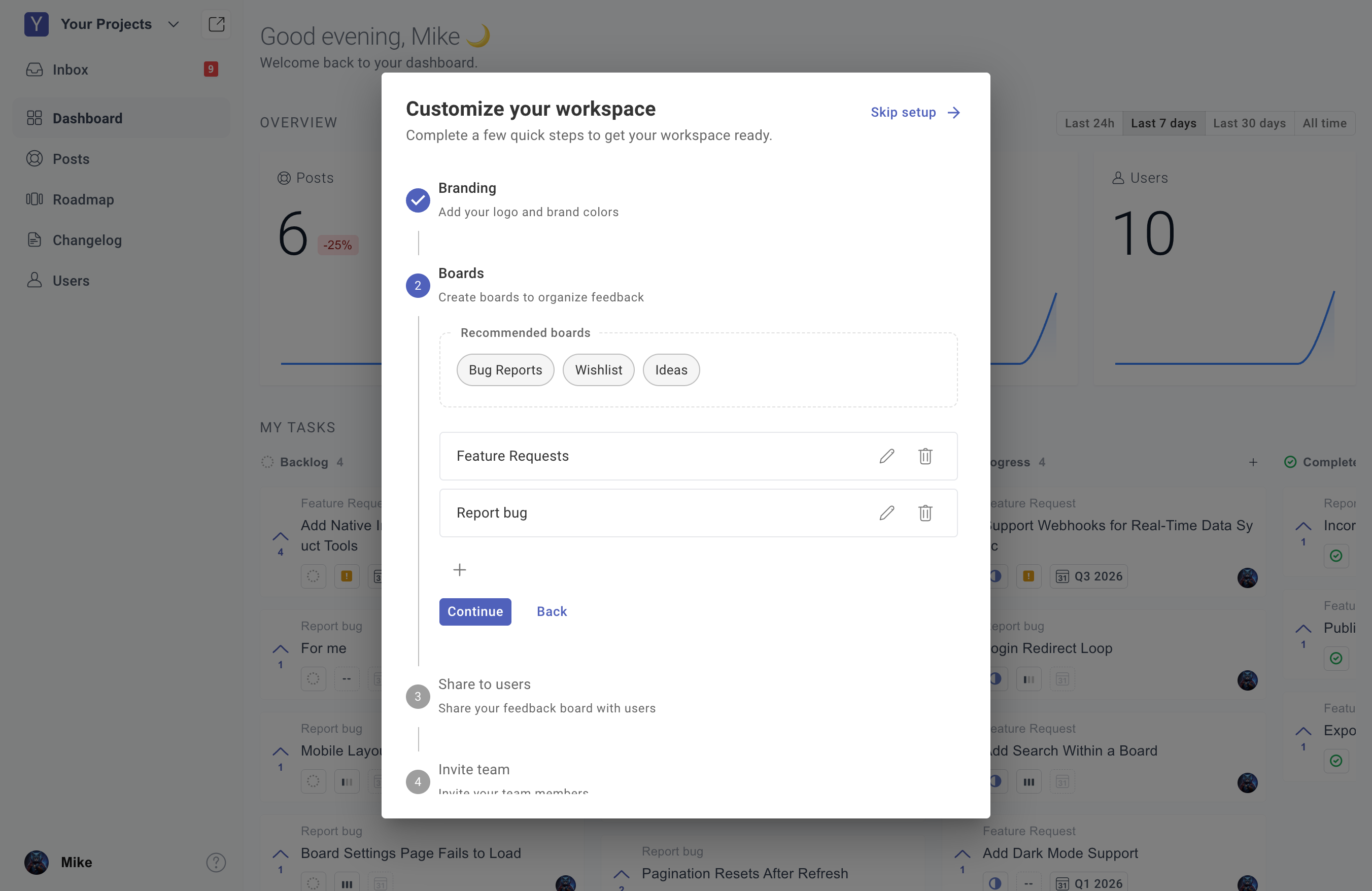
✨ New: Guided Onboarding Experience
Getting started is now faster and clearer than ever.
- Step-by-step onboarding flow New users are guided through key setup steps to reduce confusion and accelerate activation.
- Contextual tips & prompts Helpful hints are provided at the right moments, so you always know what to do next.
- Faster time-to-value We’ve streamlined the process so you can reach your first meaningful action with fewer steps.
🎨 Improved: User Interface & Visual Design
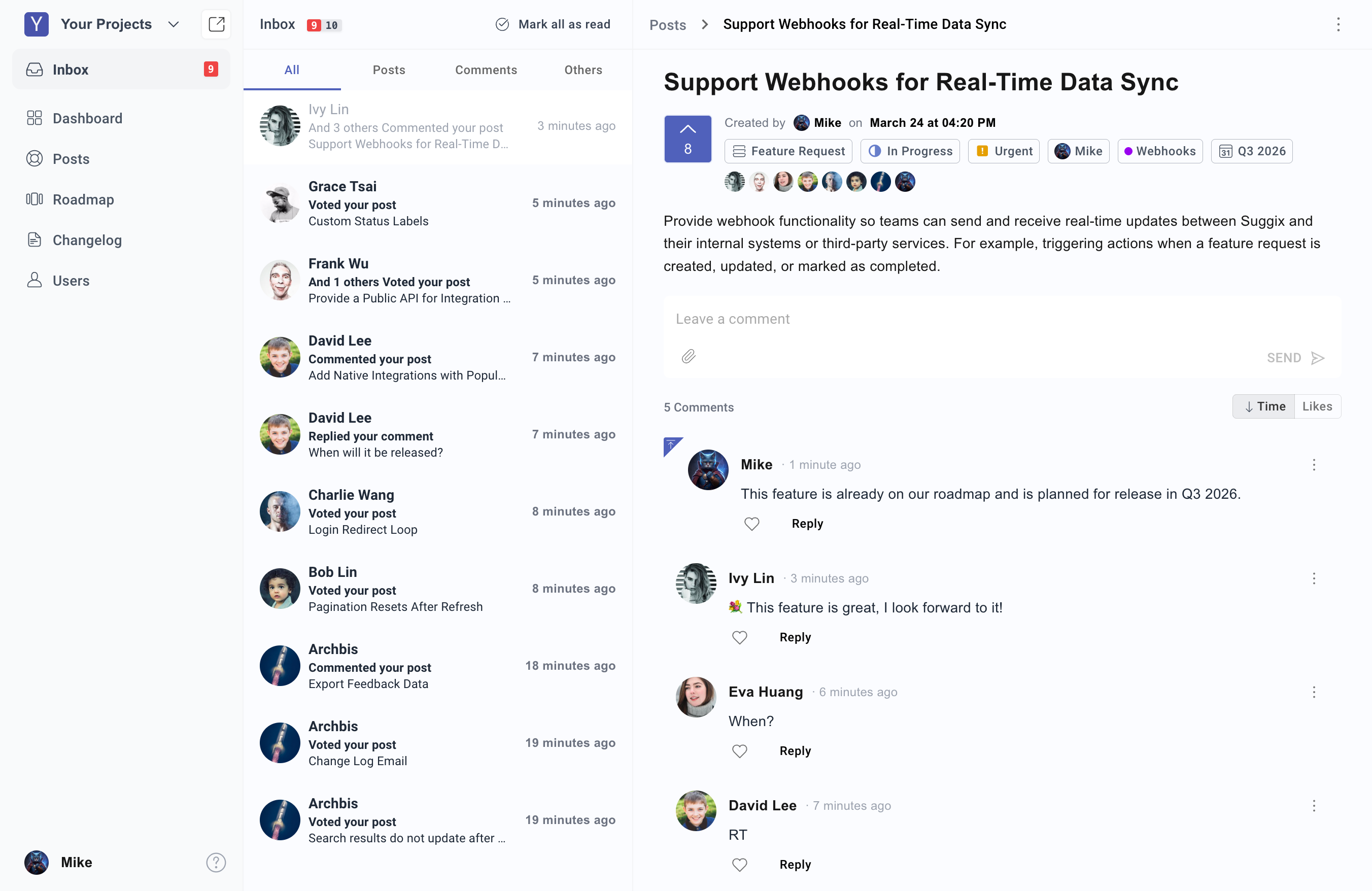
We’ve refined the UI to enhance usability and consistency across the product.
- Cleaner layout & spacing Improved visual hierarchy makes content easier to scan and interact with.
- Enhanced component consistency Buttons, inputs, and cards now follow a more unified design system.
- Better mobile responsiveness Optimized layouts for smaller screens to ensure a smoother mobile experience.
- Subtle interaction improvements Smoother transitions and hover states for a more polished feel.
🛠️ Behind the Scenes
- Performance optimizations for faster load times
- Minor bug fixes and stability improvements
March 13, 2026
Dashboard Redesign
March 13, 2026
Improvements
- Redesigned the Dashboard for a cleaner layout and better usability.
- Improved the due date search functionality for more accurate filtering.
Fixes
- Fixed several minor bugs and performance issues.
January 30, 2026
Mobile Fixes & New Tracking
January 30, 2026
Improvements
• Fixed multiple UI and interaction issues on mobile to improve overall stability and usability
New Feature: Traffic Source Tracking
• Added traffic source tracking to better understand where users are coming from and how they discover Suggix
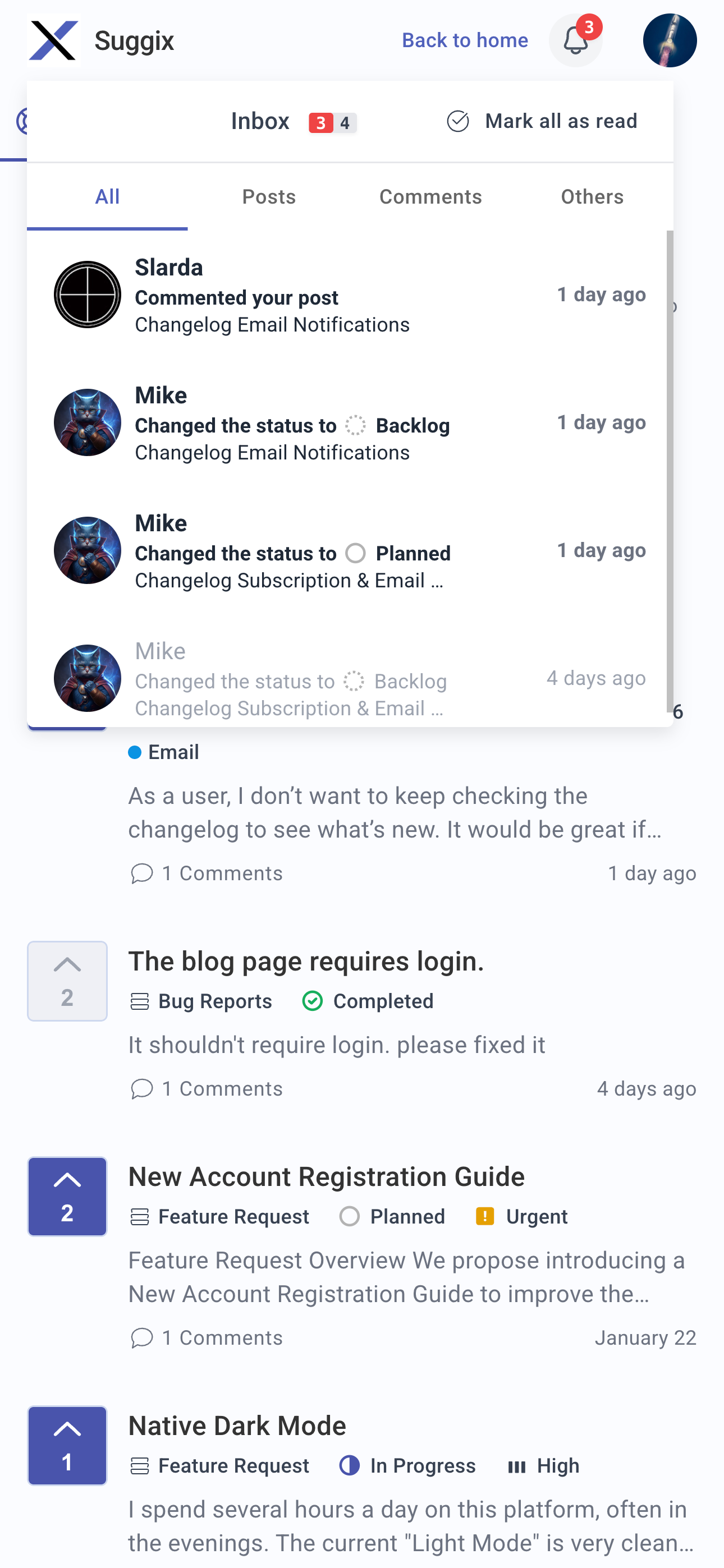
New Feature: Open Inbox via URL
• Inbox popup can now be opened directly via URL parameters
• Enables deep linking from notifications, emails, or external tools for smoother workflows
Still early, still iterating — shipping improvements every week.
Feedback is always welcome 🙌
January 26, 2026
Performance, SEO, and Priority Improvements This Week
January 26, 2026
Over the past week, the Suggix platform has received the following updates:
- Priority Logic ImprovementsWe refined the priority calculation and sorting logic for feedback and tasks to better reflect real-world urgency. High-priority items are now displayed more clearly and consistently across lists and boards, helping teams identify and act on critical issues more efficiently.
- Website SEO EnhancementsWe implemented a series of SEO improvements, including optimizations to page structure, metadata, and overall accessibility. These changes improve how search engines understand and index Suggix, laying the groundwork for stronger organic traffic growth.
- SSR (Server-Side Rendering) Performance OptimizationCore pages have been optimized for server-side rendering to improve performance and reliability. This results in faster initial page loads, a more consistent user experience, and better crawlability for search engines.
January 19, 2026
🎉 Suggix Is Live — Initial Release
January 19, 2026
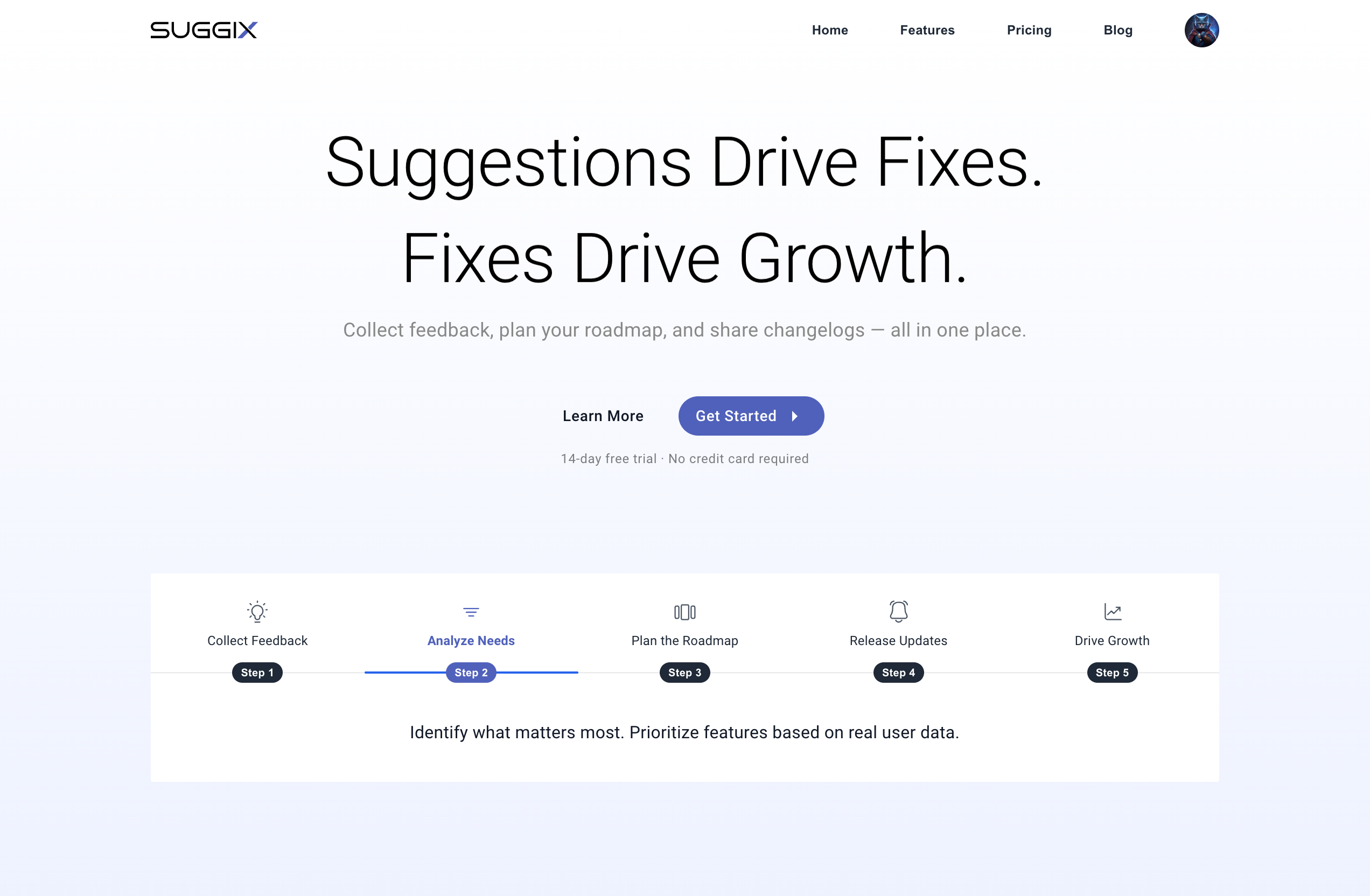
We’re excited to officially launch Suggix, a modern feedback management platform designed to help teams turn user voices into real product decisions.
This first release lays the foundation for transparent, community-driven product development — from collecting feedback to communicating progress.
✨ What’s Included in This Release
📝 Public Feedback Board
• Users can submit feature requests and bug reports
• Feedback is organized by type and category
• Duplicate ideas can be avoided through shared visibility
👍 Voting & Prioritization
• Users can upvote feedback to signal what matters most
• Teams gain clear, demand-driven insights for decision-making
🗺️ Product Roadmap
• Visual roadmap with clear statuses: Backlog, Planned, In Progress
• Each item supports priority levels, owners, and target timelines
• Progress is visible to both internal teams and users
📣 Changelog
• Publish product updates and improvements
• Close the loop by linking shipped features back to user feedback
• Keep users informed as the product evolves
🔐 Authentication & Roles
• Secure access for team members
• Clear separation between internal management and public views

